The 5 Best Audiobook Apps for Speed Listening (2026)
Key Takeaways
- The Brain Gap: Humans speak at ~150 wpm but think at ~400 wpm. This gap causes distractions.
- The Sweet Spot: Comprehension remains high up to 275 wpm (approx 1.75x speed).
- Silence Removal: Using "Smart Speed" apps is more effective than raw speed increases.
- The Rule: Speed up information (Non-fiction), slow down experience (Fiction).
Table of Contents
I used to be an Audible loyalist. I had 200+ books in my library, badges for listening streaks, and I thought hitting the "1.5x" button was the pinnacle of productivity.
But I hit a wall. Every time I tried to push past 1.5x speed, the experience became exhausting. The narrator sounded frantic, barely taking a breath. After 30 minutes, I would get a tension headache and have to stop. I thought my brain just wasn't wired for speed.
I was wrong. My brain was fine; my software was garbage.
Most default audiobook players (Audible included) use rudimentary speed algorithms. They treat a dramatic pause exactly the same as a spoken word—they just squash it all. The result is a breathless, unnatural cadence that forces your brain to work overtime just to parse the rhythm.
Over the last three years, I have tested practically every audio player on the App Store and Play Store. I discovered that the secret to effortless 2.0x or 3.0x listening isn't willpower. It's a specific feature called Silence Removal (or Smart Speed).
Here is my deep dive into the 5 best apps that actually respect your time and your ears in 2026.
The "Secret Sauce": Silence Removal vs. Variable Speed
Before we grade the apps, you need to understand the technology. Not all "2x" speeds are created equal.
The Old Way: Variable Speed (Pitch Corrected)
This is what Audible and Apple Books do. If you select 2x, they take 60 seconds of audio and play it in 30 seconds. They apply Pitch Correction so the narrator doesn't sound like a chipmunk (high frequency), but the rhythm is destroyed. The micro-pauses between words—which your brain uses to process meaning—are slashed in half.
The Pro Way: Silence Removal (Smart Speed)
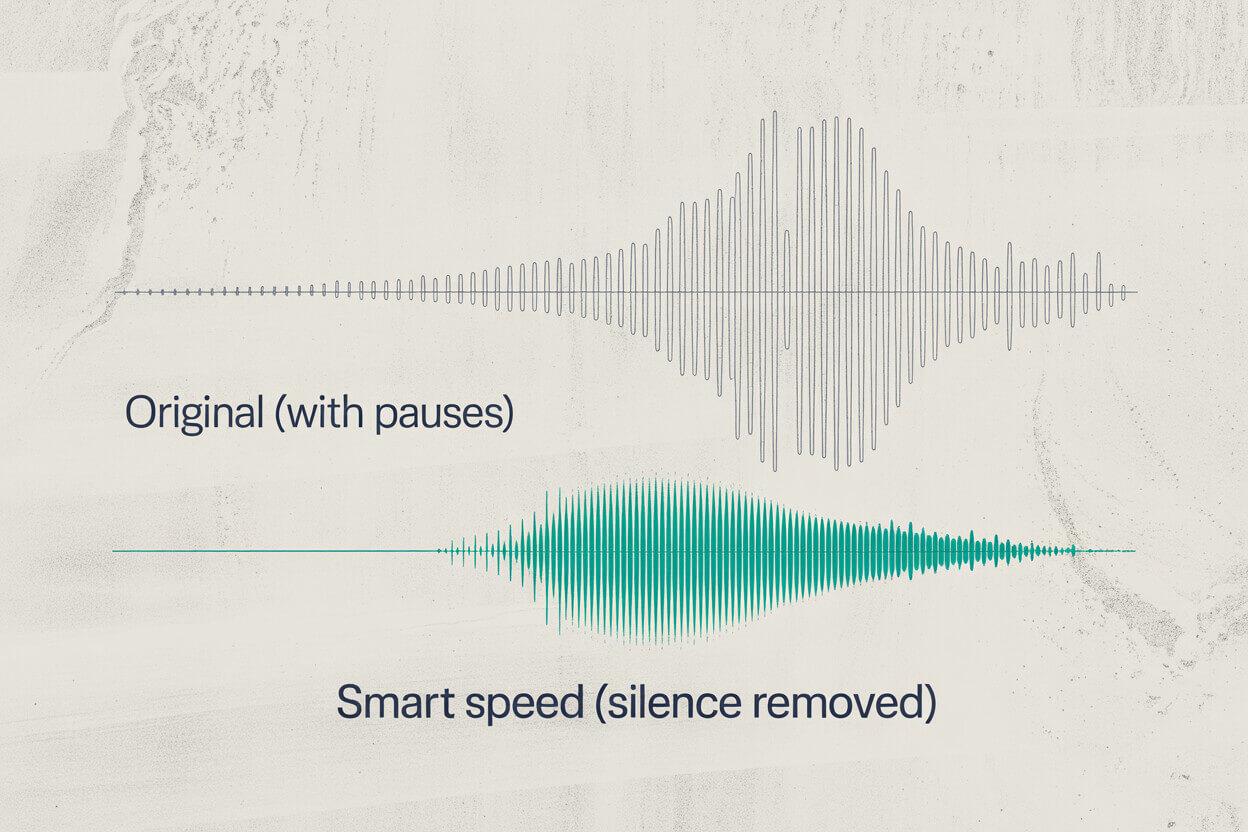
This is a dynamic algorithm. It analyzes the audio waveform in real-time, looking for drops in decibels (silence).
- When the narrator speaks: The app plays the audio at a comfortable speed (say, 1.5x).
- When the narrator pauses: The app accelerates to 3x or skips the pause entirely.
The "Breathing Room" Effect
Using Smart Speed creates a paradox: You finish the book faster, but the narrator sounds slower. By cutting out the dead air, you can keep the actual speech rate lower (more understandable) while maintaining a high overall pace. It is the difference between sprinting and teleporting.
1. Overcast (iOS) — The Gold Standard
Best for: iOS users who want the smoothest algorithm on the market.
Overcast is technically a podcast player built by Marco Arment. However, it is my absolute #1 recommendation for DRM-free audiobooks. The "Smart Speed" engine in Overcast is masterful. It doesn't just cut silence; it smooths the transition so you never hear a "glitch" or a choppy cut.
Killer Feature: Voice Boost 2
Speed isn't the only factor; clarity is. Overcast's Voice Boost uses mastering-grade audio normalization. If you listen on the subway or while cooking, this is a game-changer. It amplifies quiet voices without blowing out your eardrums during loud moments. When listening at 2x speed, this clarity is essential for comprehension.
My Configuration
- Smart Speed: ON (Aggressive mode isn't an option, it just works perfectly).
- Voice Boost: Medium.
- Speed: I typically sit at 1.7x + Smart Speed, which results in an effective speed of about 2.1x without the stress.
How to use it for Audiobooks:
Since it's a podcast app, you can't just connect it to Audible. You need DRM-free MP3 files (from sources like LibriVox, Downpour, or CD rips).
The "Upload" Hack: If you subscribe to Overcast Premium ($10/year), you get a file upload feature. You log in to their website on your desktop, drag your 500MB audiobook file in, and boom—it appears on your phone as a podcast episode. It syncs your position across devices perfectly.
2. Podcast Addict (Android) — The Powerhouse
Best for: Android power users who love settings.
If Overcast is the "Apple" approach (simple, works perfectly), Podcast Addict is the "Linux" approach. It allows you to tweak absolutely everything. For speed listening, its "Skip Silence" feature is incredibly granular.
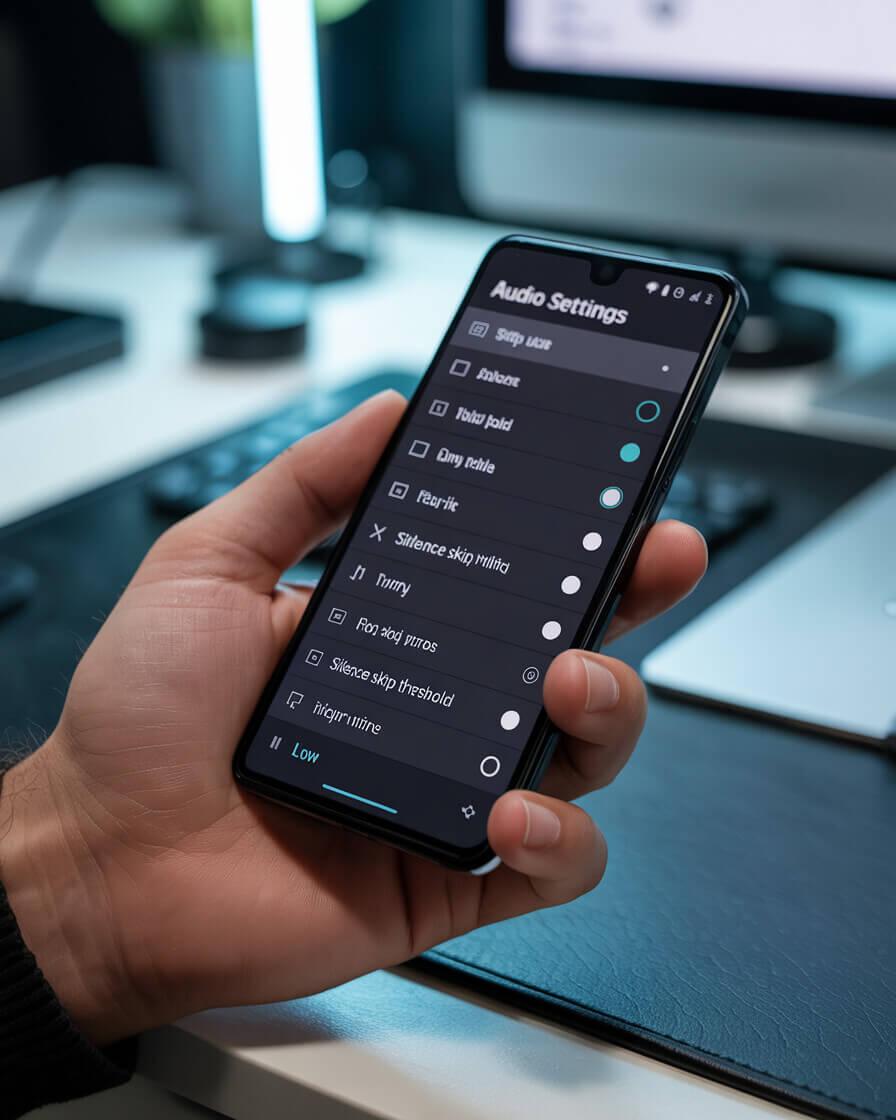
The depth of control on Android is unmatched. Setting the threshold correctly is key.
Why it wins on Android:
Most apps have a binary "Skip Silence" toggle (On/Off). Podcast Addict lets you define the aggression.
I found that setting the silence threshold to "Low" creates a very natural flow. If you crank it to "High," it starts cutting into the ends of sentences, which is annoying for fiction but efficient for dense non-fiction.
The "Virtual Folder" Feature
Unlike Overcast, you don't need to upload files to a server. Podcast Addict can read a local folder on your phone as a "Virtual Podcast."
- Create a folder named "Audiobooks" on your phone.
- Drop your book files inside.
- In Podcast Addict, add a "Virtual Podcast" pointing to that folder.
It treats your book like a podcast feed, meaning you get all the speed controls, volume boost, and sleep timers for your local files.
3. Bound (iOS) — For Cloud Streamers
Best for: People with huge libraries on Dropbox/Google Drive.
The problem with using podcast apps for audiobooks is that they sometimes struggle with massive files (10 hours+). You might lose your place if the app refreshes. Bound is built specifically for audiobooks.
The Workflow
Bound connects directly to your cloud storage (Dropbox, Google Drive, iCloud, OneDrive). You don't need to sync your phone with a cable. You just open Bound, browse your Dropbox folder, and hit download.
Performance
Bound's silence removal is less aggressive than Overcast's. For me, this makes it ideal for Fiction. When I'm listening to a novel, I want some pauses for dramatic effect. Bound respects that, while still offering a very clean pitch-corrected speed up to 2x. It handles bookmarking perfectly, which Overcast sometimes struggles with for long files.
4. Smart Audiobook Player (Android) — The Reliable Tank
Best for: Everyone on Android. Seriously.
Smart Audiobook Player has an interface that looks like it was designed in 2010. It is grey, blocky, and utilitarian. It is also the most robust piece of software I have ever used. It never crashes. It never loses your spot.
The Equalizer (A hidden gem for speed)
Smart Audiobook Player includes a system-level Equalizer. Why does this matter for speed?
When you listen at 2.5x or 3.0x, deep voices can become muddy. By using the EQ to cut the bass and boost the treble (High Mids), you make the speech much crispier. This allows your brain to distinguish consonants much faster. I have a preset called "Ultra Speed" specifically for this.
The "Shake to Reset"
This is the feature I miss most when I switch to iPhone. If you are listening in bed and start drifting off, you don't need to unlock your phone to rewind. You just shake the phone. The app detects the movement and rewinds 30 seconds (or whatever amount you set). It is a genius UI decision for passive listening.
5. Audible — The Necessary Evil
Best for: Simplicity and exclusive content.
We can't ignore the elephant in the room. 90% of you are probably using Audible. The app is polished, syncs perfectly between devices (Whispersync is magic), and has the biggest library.
However, for speed listeners, it is frustratingly limited.
- No Silence Removal: This is the dealbreaker for extreme speeds.
- Speed Cap: It tops out at 3.5x.
- Pitch Quality: It's good, but at speeds above 2.0x, the audio artifacts become noticeable compared to Overcast's smoother engine.
My Advice: If you are locked into Audible (DRM books), keep your speed below 2.0x. Above that threshold, the lack of silence removal creates too much cognitive load. If you need to go faster for a specific book, consider buying the Kindle version and using Alexa's "Text-to-Speech" or finding a DRM-free version to use in a better app.
Quick Comparison Chart
| App | Platform | Smart Speed? | Key Strength | Price |
|---|---|---|---|---|
| Overcast | iOS | Yes (Best) | Audio Engine | Free / $10yr |
| Podcast Addict | Android | Yes (Custom) | Customization | Free / $4 |
| Bound | iOS | No | Cloud Sync | $3.99 |
| Smart Audiobook | Android | No | Features (EQ) | Free Trial |
| Audible | Both | No | Library Size | Subscription |
Final Verdict: What should you install?
If you are serious about optimizing your reading time, you cannot rely on default players. The math is simple: Smart Speed saves you an extra 10-15% of time without you needing to listen faster. If you are currently locked into the default app, here is why I switched from Audible to Overcast for speed listening.
Overcast is the winner. The combination of Smart Speed and Voice Boost makes listening at 2.0x feel effortless. It turns audiobooks into a direct brain download.
Smart Audiobook Player for stability, or Podcast Addict if you absolutely need silence removal. I keep both installed.
Regardless of the app you choose, always check your potential time savings before you start a massive book. It helps you commit to the journey.
See your real listening time and hours saved
Try the audiobook calculatorRelated Articles
Audible vs. Overcast: Why I Cancelled My Subscription
Audible is the giant, but for Speed Listeners, it's a bottleneck. Here is why I switched to Overcast + Libro.fm and how it saves me 45 minutes per book.
Best Headphones for Speed Listening: Bone Conduction vs ANC
Stop using bass-heavy headphones for audiobooks. Here is why 'Speech Clarity' matters at 2.0x speed, and the best gear for commuting vs chores.
Hacking Audible: How It Works & How to Save Money (The Guide)
Stop overpaying for credits. Learn the 'Retention Offer' script, the Pre-Order safe hack, and how to backup your library with Libation.
The Audiobook Speed Cheat Sheet: How Long Will It Take? (Charts)
Quick reference tables for 1.25x, 1.5x, and 2.0x speeds. See exactly how much time you save on 8h, 10h, and 12h audiobooks.