How to Listen to Lectures at 2.0x (And Actually Pass)
Key Takeaways
- The Brain Gap: Humans speak at ~150 wpm but think at ~400 wpm. This gap causes distractions.
- The Sweet Spot: Comprehension remains high up to 275 wpm (approx 1.75x speed).
- Silence Removal: Using "Smart Speed" apps is more effective than raw speed increases.
- The Rule: Speed up information (Non-fiction), slow down experience (Fiction).
Table of Contents
It is 11 PM. You have an exam in two days. You still have 12 hours of recorded lectures to watch.
You press play. The professor clears his throat. He adjusts his microphone. He talks about the weather. He speaks... so... slowly... that... you... can... feel... your... brain... melting.
If you watch these at 1.0x speed, you are going to fail. Not because you aren't smart, but because you will run out of time (and patience).
I have been there. During my masters, I realized that "watching" lectures was the most inefficient way to learn. I developed a system to consume academic content at 2.0x to 2.5x speed while actually retaining more information than the students sitting in the front row.
This isn't just about saving time; it's about survival. Here is the comprehensive guide to Speed Studying in 2026.
The "Boredom Gap": Why Professors are Too Slow
Before we get to the "how", let's validate your frustration. You aren't impatient; your professor is objectively slow.
In my article on retention science, I noted that the average audiobook narrator speaks at ~150 words per minute (wpm).
Academic lecturers are even slower.
Because they are writing on a chalkboard or thinking while speaking, many professors drop to 100-110 wpm.
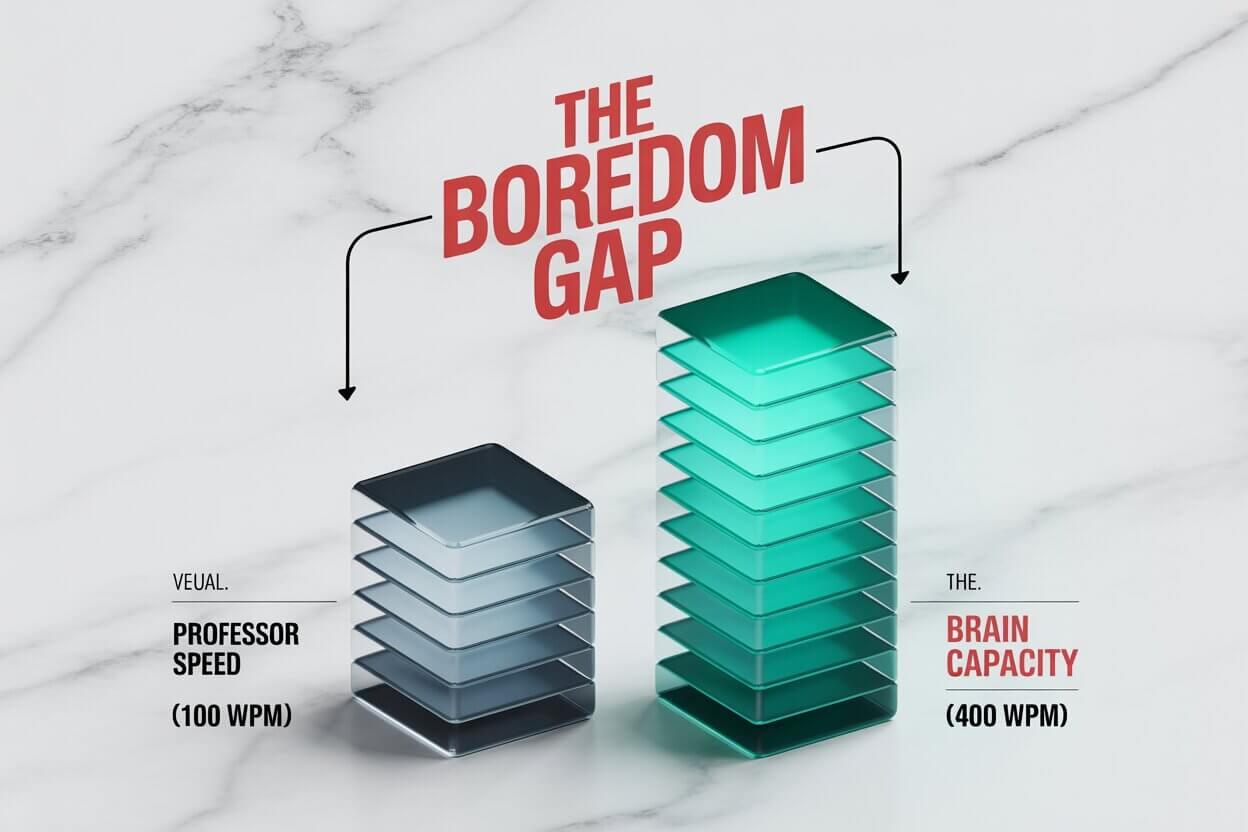
Your brain processes information at 400+ wpm — the same attention gap that makes 1.75x feel natural for audiobooks. When you watch a lecture at 1.0x, you are using only 25% of your cognitive bandwidth. The other 75% gets bored and looks for distraction.
Speeding up the lecture doesn't make it harder; it makes it engaging. At 2.0x, the professor finally speaks at the speed of your thoughts.
Desktop Warfare: The Chrome Extension
YouTube is easy (click the gear icon). But what about clunky university players like Blackboard, Panopto, Canvas, or Zoom recordings that don't have speed controls?
You need the "Skeleton Key" of speed.
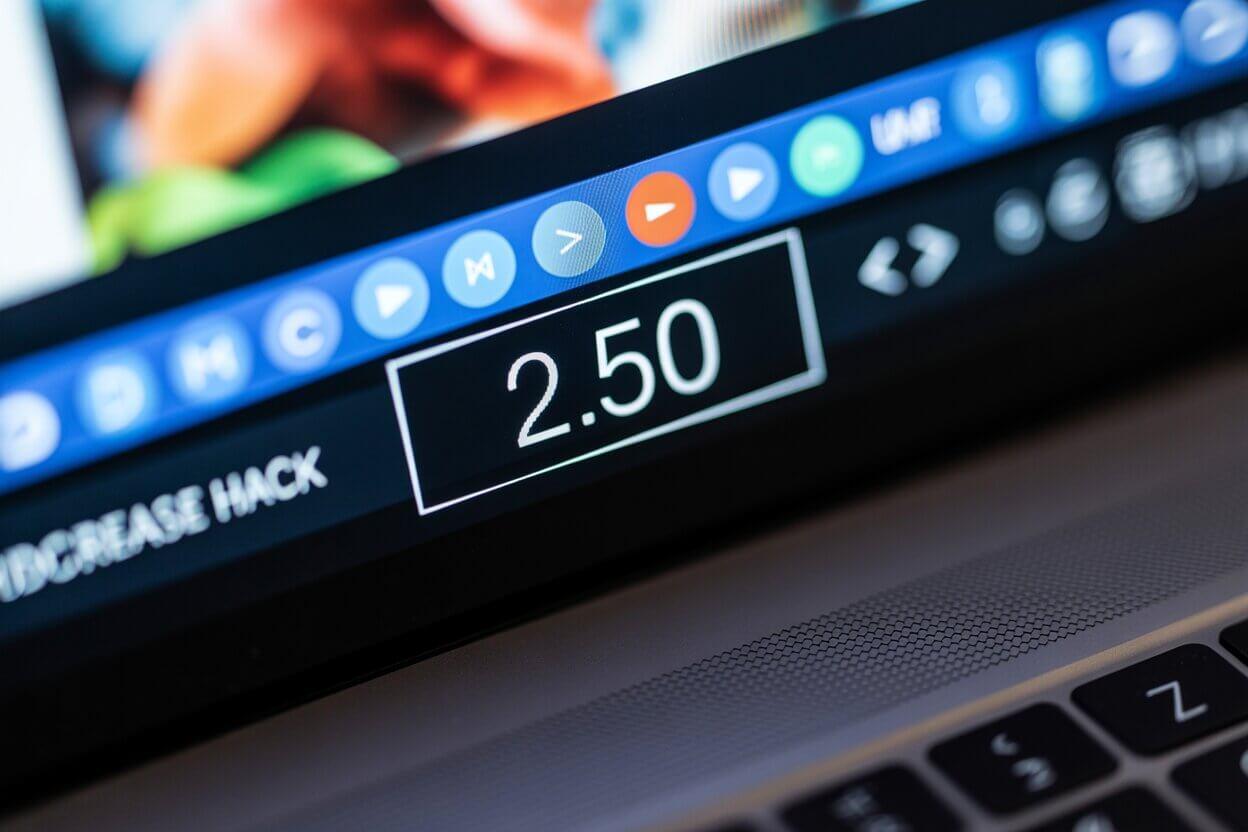
Must HaveVideo Speed Controller (Chrome/Edge)
This is the secret weapon. It injects an HTML5 speed controller into any video element on the web. Netflix, Vimeo, University Portals—it works on everything.
- Key 'D': Increase speed by 0.1x.
- Key 'S': Decrease speed by 0.1x.
- Key 'R': Reset to 1.0x.
- Key 'X': Advance 10 seconds (Skip boring parts).
It allows you to go beyond the 2.0x limit. I often watch slow professors at 2.7x or 3.0x.
Mobile Warfare: Speed on the Go
Most students study on laptops, but the real pros study on the commute. The problem? Most mobile browsers don't support Chrome extensions.
If your university portal forces you to watch at 1.0x on your phone, here is the workaround:
The VLC Method
- Download the Lecture: Use the "Download" button on your portal. If there isn't one, use a browser extension like "Video DownloadHelper" on your desktop first, then transfer the file to your phone.
- Open in VLC Media Player: Do not use the default iPhone/Android player. Download VLC.
- The "Secret" Slider: VLC on mobile allows playback up to 4.0x speed without pitch distortion. It handles "muttering" professors better than any other app.
A real run: one economics lecture
Course: Intro to Macroeconomics (YouTube)
- Original length: 1h18.
- Watched at 2x with Video Speed Controller: 39 minutes (78 ÷ 2).
- Method: flow-based notes while listening; I spotted the 3 key concepts, then dropped back to 1.25x only on those passages to make sure they landed.
Net result: a 78-minute lecture became a focused 40-minute session — and because 2x forced my attention, I retained the core model better than when I used to half-watch at 1x.
The "Search & Destroy" Protocol
Watching a lecture is different from reading a novel. You don't need to savor every word. You need to extract data for the exam.
Here is my 3-step protocol for crushing a semester's worth of content in one weekend.
Step 1: The "Survey" Pass (2.5x)
Goal: Map the territory.
Watch the entire lecture at a speed that feels slightly too fast (usually 2.5x). Do not stop. Do not take detailed notes. Just let it wash over you.
Why? You are building a mental scaffolding. You are identifying: "Okay, he spends 20 minutes on the intro (useless), 30 minutes on the Mitochondria (critical), and 10 minutes on Q&A (useless)."
Step 2: The "Sniper" Pass (1.5x)
Goal: Extract the data.
Now, go back to the critical sections you identified. Slow down to 1.5x. This is where you actually learn. Because you've already "heard" it once, your brain connects the dots instantly.
Step 3: The "Timestamp" Method
The Mistake: Most students try to transcribe the professor word-for-word. At 2.0x speed, this is impossible. You will get hand cramps and miss the next sentence.
The Solution: Write Timecodes, not sentences.
"Concept of Osmosis starts at [14:32]. Important diagram at [18:45]."
After the lecture, go back to those specific timestamps to make clean notes. This keeps you in the flow state.
Advanced: "Flow-Based" Note Taking
If you are trying to type linearly (sentences, bullet points) at 2.5x, you will fail. Linear notes are too slow.
You need to switch to Flow-Based Note Taking (a concept popularized by Scott Young in Ultralearning).
Instead of transcribing what the professor says, you draw how the ideas connect.
- Use arrows to connect concepts.
- Use boxes for main terms.
- Write in "Pidgin" (short, broken phrases) rather than full grammar.
Example: instead of typing "Inflation is caused when the supply of money exceeds the demand for goods," you write:
Money Supply ↑ + Goods ↓ = Inflation
This compression allows your hand to keep up with the 2.5x audio stream.
The AI Hack: Transcribe & Summarize
We are living in the future. Why type notes when AI can do it for you?
If your professor talks fast or has a heavy accent, trying to speed listen can be stressful. Here is the "Dual-Channel" setup I recommend to computer science students:
The Setup:
- Browser Window 1: The Lecture (playing at 2.0x).
- Browser Window 2: Otter.ai (or Word Online Dictate).
- Audio Routing: Ensure your system audio is being picked up by the microphone (or just play it on speakers in a quiet room).
- The Result: A real-time scrolling transcript.
Now, you can listen at 2.0x speed while reading the transcript scrolling by. This is called "Dual Coding". Your brain processes the audio and the visual text simultaneously. Retention skyrockets.
The ChatGPT Synthesis
Once you have the transcript, paste it into ChatGPT (or Claude) with this specific prompt:
You just saved 2 hours of study time.
Which Subjects Can You Speed Up?
Not all classes are created equal. Use the audiobook calculator to plan your study sessions based on the subject difficulty.
| Subject Type | Max Speed | Strategy |
|---|---|---|
| History / Sociology | 2.5x - 3.0x | It's mostly narrative. Very easy to follow fast. |
| Business / Econ | 2.0x | Slow down only for charts and graphs. |
| Math / Physics | 1.2x - 1.5x | Do not rush the derivation of formulas. Pause often. |
| Computer Science | 1.0x - 1.5x | If they are live-coding, watch at 1.0x. If they are talking theory, 2.0x. |
The "20-Minute" Rule (Avoiding Burnout)
There is a cost to speed.
Listening at 2.5x burns more glucose in your brain than listening at 1.0x. It is high-intensity interval training (HIIT) for your cortex. If you try to do it for 4 hours straight, you will crash. You will get a headache, and you will retain nothing.
The Rule: Never speed listen for more than 20 minutes without a break.
Use the Pomodoro Technique optimized for Speed:
- 25 Minutes: High Speed Listening (Active Focus, No phone).
- 5 Minutes: Silence. (No phone, no input). Let your brain buffer.
During those 5 minutes, do not check Instagram. Stare at a wall. Close your eyes. This allows the short-term memory (Hippocampus) to consolidate data into long-term memory (Cortex). If you interrupt this with TikTok, you overwrite the data.
The Math: Saving an Entire Semester
Let's look at the numbers. A typical 3-credit university course has about 3 hours of lecture per week.
- 15 weeks per semester = 45 hours of video per course.
- Taking 4 courses? That is 180 hours of video.
The "Normal" Student
Staring at the screen. Getting bored. Repeating content.
The Speed Student (2.0x)
That's 90 hours saved. Two full work weeks recovered.
Imagine what you could do with those extra 90 hours before finals. You could sleep. You could review past exams. You could actually read the textbook. Or you could just relax, knowing you are ahead of the curve.
Student FAQ
Will the pitch change at 2.5x?
If you use "Video Speed Controller" on Chrome or VLC Media Player on desktop, no. They use pitch-correction technology. If you download the raw file and play it on a cheap MP3 player, maybe. Stick to modern browser tools.
My professor has a heavy accent. What do I do?
Do not speed up immediately. Listen at 1.0x for the first 15 minutes to "tune" your ear to their vowel sounds. Once your brain adapts to their cadence, bump it to 1.25x, then 1.5x.
Conclusion: Grades are not about Time Spent
There is a toxic belief in university that the student who spends the most hours in the library deserves the A.
That is false. The student who retains the most information gets the A.
By listening at 2.0x, you are not cutting corners on learning. You are cutting out the fluff, the pauses, and the boredom. You are creating an intense, focused study session that respects your brain's processing power.
Install the extension. Hit the 'D' key. And reclaim your semester.
Calculate your study time savings:
Open Speed CalculatorRelated Articles

How to 'Read' 100 Books a Year (Without Sitting Down)
You don't need more time; you need 'NET Time'. My exact daily routine to consume 100+ audiobooks a year while walking the dog, commuting, and doing chores.
How to Learn Languages with Audiobooks: The 0.75x Trick
Stop struggling with fast native speakers. Learn how to use 0.75x speed for shadowing, decoding connected speech, and mastering Spanish or French.
Podcasts vs Audiobooks & Spotify Guide: The 3.0x Speed Strategy
Why can you listen to podcasts faster than books? We investigate the 'Information Density' theory, the Spotify 15-hour trap, and the best apps for silence skipping.