The Audiobook Speed Cheat Sheet: How Long Will It Take? (Charts)
Key Takeaways
- The Brain Gap: Humans speak at ~150 wpm but think at ~400 wpm. This gap causes distractions.
- The Sweet Spot: Comprehension remains high up to 275 wpm (approx 1.75x speed).
- Silence Removal: Using "Smart Speed" apps is more effective than raw speed increases.
- The Rule: Speed up information (Non-fiction), slow down experience (Fiction).
Table of Contents
You are browsing Audible. You see a massive biography like Steve Jobs that is 25 hours long. You hover over the "Buy" button, but you hesitate.
"Do I really have time for this? That's going to take me a month to finish."
If you listen at the default 1.0x speed, you are right. It is a huge commitment. But as I explained in my guide to the 1.75x mindset, 1.0x is often indistinguishable from slow motion.
The problem is, doing the math in your head is surprisingly difficult. Trying to calculate "13 hours divided by 1.35" while you are merging onto the highway is not exactly safe.
While my Audiobook Speed Calculator on the homepage gives you the exact minute, sometimes you just want a map. You want to see the landscape of time savings at a glance.
I created this Master Cheat Sheet to be the ultimate reference guide. It answers the specific questions I see thousands of people searching for in 2026, like "How long is 12 hours at 1.25 speed?".
Bookmark this page. The next time you see a daunting book, check the chart. You will realize it's not a mountain; it's a molehill.
The Complete Audiobook Speed Chart
The quick formula: divide the audiobook's length by the speed. For example, a 10-hour audiobook at 1.5× speed takes 6h 40m (you save 3h 20m); the same book at 2× takes exactly 5 hours. The full reference for every common length and speed is below.
| Audiobook length | At 1.25× | At 1.5× | At 1.75× | At 2× | At 2.5× |
|---|---|---|---|---|---|
| 1 hour | 48m | 40m | 34m | 30m | 24m |
| 2 hours | 1h 36m | 1h 20m | 1h 9m | 1h | 48m |
| 3 hours | 2h 24m | 2h | 1h 43m | 1h 30m | 1h 12m |
| 4 hours | 3h 12m | 2h 40m | 2h 17m | 2h | 1h 36m |
| 5 hours | 4h | 3h 20m | 2h 51m | 2h 30m | 2h |
| 6 hours | 4h 48m | 4h | 3h 26m | 3h | 2h 24m |
| 7 hours | 5h 36m | 4h 40m | 4h | 3h 30m | 2h 48m |
| 8 hours | 6h 24m | 5h 20m | 4h 34m | 4h | 3h 12m |
| 9 hours | 7h 12m | 6h | 5h 9m | 4h 30m | 3h 36m |
| 10 hours | 8h | 6h 40m | 5h 43m | 5h | 4h |
| 11 hours | 8h 48m | 7h 20m | 6h 17m | 5h 30m | 4h 24m |
| 12 hours | 9h 36m | 8h | 6h 51m | 6h | 4h 48m |
| 13 hours | 10h 24m | 8h 40m | 7h 26m | 6h 30m | 5h 12m |
| 14 hours | 11h 12m | 9h 20m | 8h | 7h | 5h 36m |
| 15 hours | 12h | 10h | 8h 34m | 7h 30m | 6h |
Shorter listens (minutes):
| Length (min) | At 1.25× | At 1.5× | At 1.75× | At 2× | At 2.5× |
|---|---|---|---|---|---|
| 15 minutes | 12m | 10m | 9m | 8m | 6m |
| 20 minutes | 16m | 13m | 11m | 10m | 8m |
| 30 minutes | 24m | 20m | 17m | 15m | 12m |
| 45 minutes | 36m | 30m | 26m | 23m | 18m |
| 50 minutes | 40m | 33m | 29m | 25m | 20m |
| 90 minutes | 1h 12m | 1h | 51m | 45m | 36m |
Times are rounded to the nearest minute. Note that apps with Smart Speed / Silence Removal shave off a little extra by trimming pauses — see the hidden variable below.
Level 1: The "Safe Zone" (1.1x - 1.25x)
Best for: Dense Fiction, Fantasy (Game of Thrones), and beginners.
If you are new to speed listening, do not jump to 2.0x. You will burn out. Start here. The goal of the 1.25x zone is not necessarily to "save time," but to fix the pacing.
Why 1.0x is actually "Slow"
Most narrators read at ~150 words per minute (wpm). This is slower than natural conversation (~160-180 wpm). By bumping to 1.15x or 1.25x, you aren't "speeding up"; you are normalizing the cadence. This prevents your mind from wandering (the "Drift Effect").
| Original Length | At 1.15x | At 1.25x | Time Saved (at 1.25x) |
|---|---|---|---|
| 6 Hours | 5h 13m | 4h 48m | 1h 12m |
| 8 Hours | 6h 57m | 6h 24m | 1h 36m |
| 10 Hours | 8h 41m | 8h 00m | 2h 00m |
| 12 Hours | 10h 26m | 9h 36m | 2h 24m |
| 20 Hours | 17h 23m | 16h 00m | 4h 00m |
Level 2: The "Commuter" Zone (1.5x)
Best for: Biographies, Self-Help, Business Books.
This is the sweet spot. 1.5x is where the magic happens. It is the perfect balance between efficiency and comfort. Most well-narrated books sound more energetic at this speed.
But let's look at this differently. Instead of hours, let's talk about Commute Days.
Let's assume you have an average commute of 45 minutes (one way). That's 1.5 hours of listening per day (round trip).
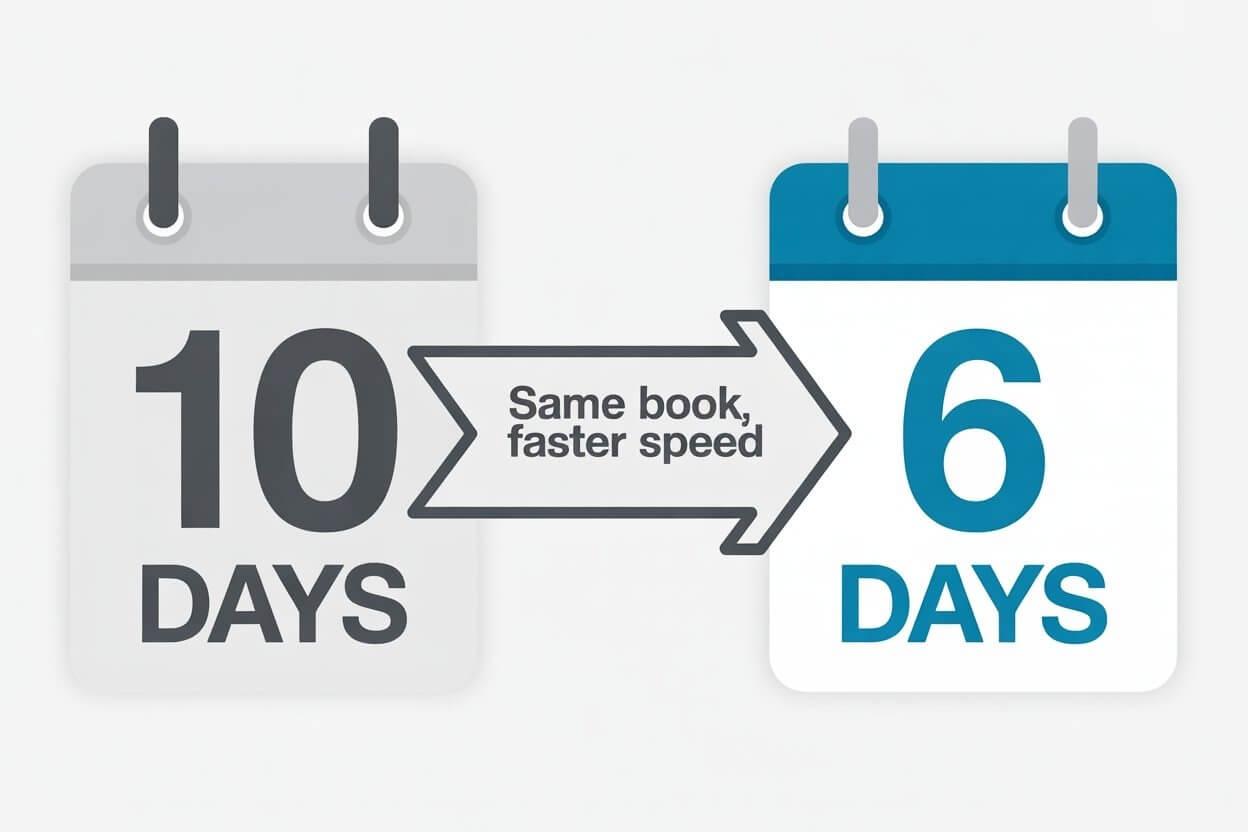
At 1.0x speed, a 15-hour book takes you 10 days (two full work weeks) to finish. That feels like an eternity. Now look what happens at 1.5x.
| Book Length | Days at 1.0x | Days at 1.5x | Days Saved |
|---|---|---|---|
| 8 Hours | 5.3 Days | 3.5 Days | ~2 Days |
| 10 Hours | 6.6 Days | 4.4 Days | ~2 Days |
| 15 Hours | 10 Days | 6.6 Days | ~3.5 Days |
| 24 Hours | 16 Days | 10.6 Days | ~5.5 Days! |
Level 3: The "Power User" Zone (1.75x - 2.0x)
Best for: Re-reading books, simple business books, or slow narrators (like James Clear).
This is not for everyone. But if you can handle it, the math becomes ridiculous. At 2.0x, you are literally doubling your life span (in terms of reading). A 10-hour book becomes a 5-hour afternoon session.
Quick Reference for High Speeds
- 4h BookAt 2.0x = 2 Hours. (The length of a movie)
- 8h BookAt 2.0x = 4 Hours. (Half a workday)
- 12h BookAt 2.0x = 6 Hours. (One Sunday afternoon)
The Hidden Variable: Silence Removal
Here is the secret that my charts don't show, and why my calculator is a "conservative" estimate.
The calculations above are based on raw speed ($Time / Speed$). But if you use a modern app like Overcast or Podcast Addict, you likely have a feature called "Trim Silence" enabled.
What does it do? Human speech is full of gaps. We breathe. We pause for effect. We hesitate. A standard audiobook can be 10-15% silence.
Smart Speed algorithms strip this dead air in real-time.
- Raw Math: 1.5x speed makes a 60-minute file last 40 minutes.
- Real World: 1.5x speed + Silence Removal often makes it 36 minutes.
Real World Case Studies
Charts are great, but let's apply this to the books you actually want to read. I've taken data from Goodreads' most popular audiobooks list.
| Book Title | Original | At 1.5x | At 1.75x |
|---|---|---|---|
| Atomic Habits | 5h 35m | 3h 43m | 3h 11m |
| Steve Jobs (Isaacson) | 25h 18m | 16h 52m | 14h 27m |
| Harry Potter (Book 1) | 8h 18m | 5h 32m | 4h 44m |
| The Bible (Audio) | 75h 25m | 50h 16m | 43h 05m |
Analysis: The "Harry Potter" Effect
Look at Harry Potter. At 1.75x, you finish it in under 5 hours. Jim Dale (the US narrator) is legendary, but he reads very deliberately. Speeding him up to 1.5x or 1.75x doesn't ruin the performance; it makes it sound like a modern movie pacing.

Quick Guide: How to Change Speed on Major Apps
Knowing the math is one thing. Knowing where the button is hidden is another. Every app hides the speed toggle in a different place. Here is your quick setup guide for the "Big 3".
Audible (Amazon)
Audible's default is 1.0x. It allows increments of 0.05x or 0.1x.
- Open the player view.
- Look for the icon in the bottom-left corner that says "Speed 1.0x".
- Tap it. Use the slider for precise control, or tap the presets (1.25, 1.5, 2.0).
- Pro Tip: Audible remembers your speed for the next book, so be careful when switching genres.
Spotify
Spotify has become a major audiobook player, but its controls are more limited (often just presets).
- Play your audiobook.
- Tap the "1x" button in the bottom left.
- Warning: Spotify's pitch correction is slightly inferior to Audible's. I recommend staying below 1.5x on Spotify to avoid robotic distortion.
Apple Books
The cleanest interface, but the speed button is often hidden.
- Tap the center of the screen to show controls.
- Tap the "1x" text in the bottom right corner.
- Keep tapping to cycle through presets (1.25x, 1.5x, 2x) or long-press for a granular slider.
Deep Dive FAQ
Based on the emails I receive, here are the nuanced answers to the most common speed listening questions.
Does listening at 2x ruin the music/sound effects?
Yes. Speed algorithms are designed for voice, not music. If you listen to a "Graphic Audio" production or a book with heavy sound design (like The Sandman), 1.5x will make the background music sound like a chaotic circus. For these books, stick to 1.1x or 1.2x max. The same case for slowing down for language learning, where hearing every syllable matters more than raw speed.
I stopped paying attention for 10 seconds. What do I do?
This is called "The Drift." It happens to everyone. Do not try to guess what happened. Most apps have a "Back 15s" button. Map this to a physical button on your headphones or steering wheel. When you speed listen, you will use the rewind button more often. This is normal. It's better to rewind twice than to listen at 1.0x and drift off for 5 minutes. If this makes you wonder whether speeding up hurts comprehension, I dug into the research separately.
Will I talk faster if I listen faster?
Surprisingly, yes—but only temporarily. This is a known psychological phenomenon called "entrainment." After a 3-hour session at 2.0x, your brain is calibrated to that tempo. You might find yourself speaking rapidly for 10-15 minutes afterwards. It fades quickly, but be aware of it before walking into a calm meeting!
The Rule of 20
I'll leave you with one final thought. I call it the "Rule of 20."
If you listen to audiobooks for 200 hours a year (which is typical for a regular commuter), switching from 1.0x to 1.5x saves you roughly 66 hours.
That is not just "time saved." 66 hours is enough to listen to:
- Atomic Habits (Twice)
- Sapiens
- Psychology of Money
- AND The Great Gatsby
All in the same calendar year. All without spending a single extra minute of your life listening. That is the power of speed.
Ready to see the math?
Use the Speed CalculatorRelated Articles
The 1.25x vs 1.5x Showdown: Which Speed is Best for You?
Is the jump to 1.5x worth it? We crunch the math, analyze the audio distortion, and help you find the perfect speed for fiction vs non-fiction.

Why I Listen at 1.75x Speed (And Why You Should Too)
Why do we listen at 1.0x when our brains process at 400wpm? The honest truth about speed listening, pitch correction, and why 1.75x might be your new normal.

Is Speed Listening 'Cheating'? The Truth About Retention
Does listening at 2.0x ruin comprehension? We look at the neuroscience of attention, the 'Drift Effect', and why 1.0x might actually be hurting your focus.
How to Learn Languages with Audiobooks: The 0.75x Trick
Stop struggling with fast native speakers. Learn how to use 0.75x speed for shadowing, decoding connected speech, and mastering Spanish or French.